UX/UI Design
In today's interconnected world, a digital product's success is no longer measured solely by its functionality or technical prowess. What truly sets a product apart is the experience it offers to its users. This is where UX/UI Design comes into play—two intertwined disciplines that are critical for creating digital tools that are not just effective, but also delightful to use.
As digital landscape continues its rapid evolution, with new applications and online services emerging daily, user expectations are rising. Simply building something that works isn't enough; it must be intuitive, engaging, and thoughtfully designed. Understanding and investing in UX/UI is essential for any team looking to launch a product that resonates with its audience and achieves its goals.
Understanding UX Design
UX (User Experience) Design is about the entire journey a user takes when interacting with a product. It’s a problem-solving discipline focused on making a product useful, usable, desirable, and accessible. UX designers are essentially the architects of the user's feelings and interactions, striving to make every step seamless and intuitive.
Key questions UX design seeks to answer include:
- Can users easily find what they need?
- Is the flow logical and intuitive?
- Does the product solve a real problem for the user?
- Is it enjoyable and efficient to use?
Typical activities in UX design involve:
1. User Research
This foundational step focuses on gaining a deep understanding of the target audience.
- Goal: Understand user motivations, challenges, behaviors, and needs.
- Key Deliverables:
- User personas — detailed representations of major user groups
- User journey maps — visualizations of steps, thoughts, and emotions during tasks
- Activities: Interviews, surveys, field observations, competitive analysis, and data analysis.
2. Information Architecture (IA)
Information Architecture is the practice of organizing and structuring content in a clear and logical way to help users find information easily.
- Goal: Create a logical content flow and hierarchy aligned with how users think and search.
- Key Deliverables:
- Sitemaps
- Content inventories
- Defined content hierarchies
- Activities: Content grouping, defining categories, and establishing naming conventions.
3. Wireframing
This is the early, low-fidelity stage of visual design focused on structure and functionality.
- Goal: Outline layout, content placement, and core functionality without visual styling.
- Benefit: Enables rapid iteration and early alignment on design direction.
4. Prototyping
Prototyping involves creating interactive simulations of the product, from simple clickable flows to realistic models.
- Goal: Transform static designs into experiential models for testing.
- Benefit: Allows stakeholders to experience user flows and visualize feature behavior before development.
5. Usability Testing
This validation step involves observing real users performing tasks using prototypes or live products.
- Goal: Identify usability issues and opportunities for improvement.
- Benefit: Provides evidence-based insights that reduce assumptions and improve usability before development.
6. Interaction Design (IxD)
Interaction Design focuses on how the product behaves and responds to user input.
- Goal: Ensure clear, predictable, and satisfying responses to user actions.
- Key Elements:
- Micro-interactions
- Loading states
- Success and error messages
- Animations
- Benefit: Makes the product feel responsive and intuitive.
Understanding UI Design
UI (User Interface) Design is the visual and interactive presentation of a product. If UX is the architecture of the house, UI is the interior design—the paint, furniture, lighting, and textures that make it look appealing and function smoothly. UI designers focus on how the product looks and feels, ensuring it's visually appealing, consistent, and intuitive.
Key questions UI design seeks to answer include:
- Is the product visually attractive and aligned with its brand?
- Are interactive elements (buttons, forms) clear and easy to use?
- Is the design consistent across different screens and platforms?
- Does the visual design guide the user's eye effectively?
Typical elements and activities in UI design include:
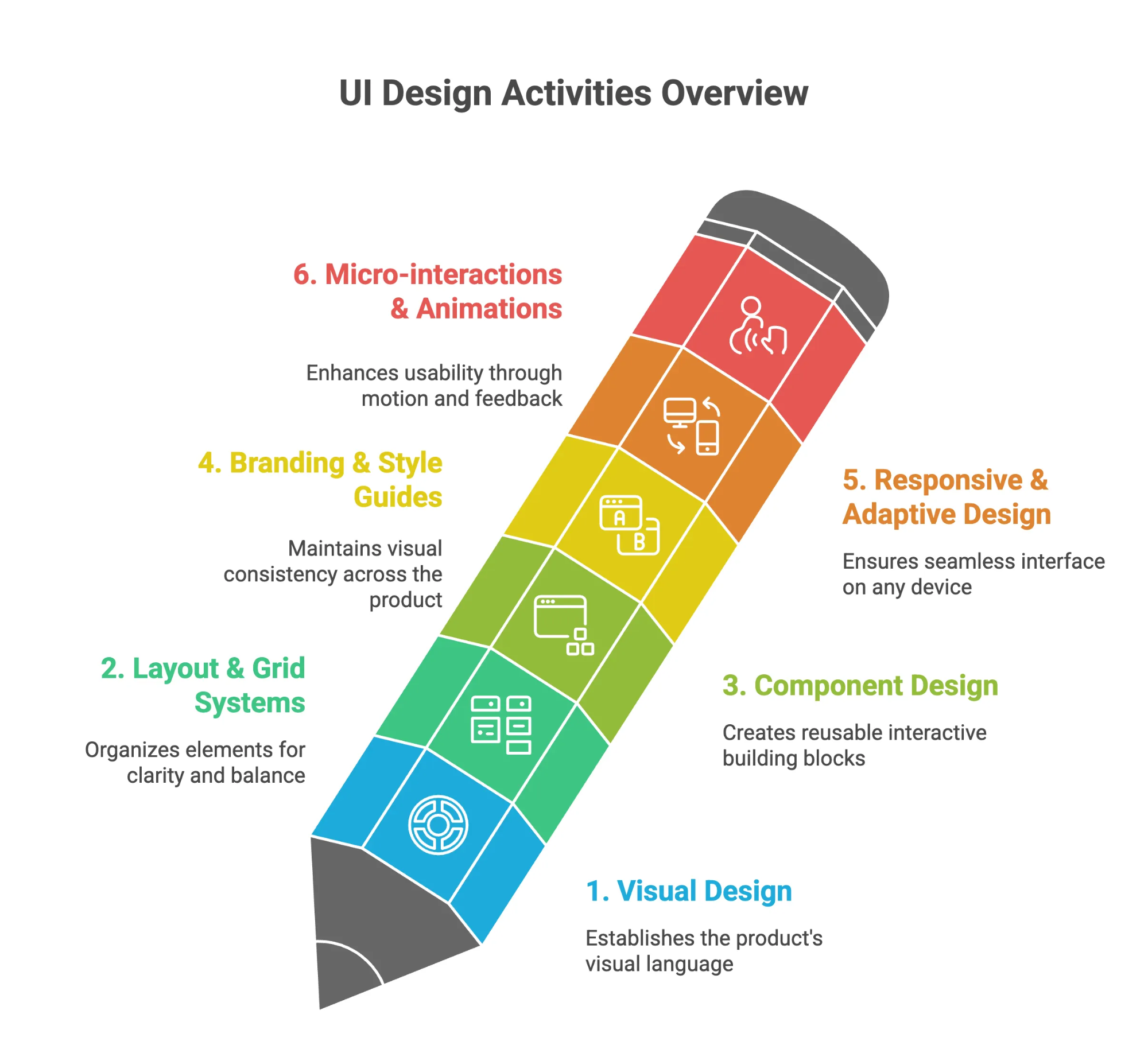
1. Visual Design
Choosing color palettes, typography, imagery, and icons to create a cohesive and appealing aesthetic.
Why it matters: Shapes emotional tone, strengthens brand identity, and improves readability.
2. Layout and Grids:
Shapes emotional tone, strengthens brand identity, and improves readability.
Why it matters: Helps users understand hierarchy and reduces confusion.
3. Component Design
Designing the look and feel of interactive elements like buttons, forms, sliders, and navigation menus.
Why it matters: Ensures consistency, speeds development, and reduces cognitive load.
4. Branding and Style Guides
Ensuring the interface reflects the brand's identity and maintaining visual consistency across the product.
Why it matters: Maintains consistency and supports scalability.
5. Responsiveness
Designing for optimal viewing and interaction across various devices and screen sizes (e.g., mobile, tablet, desktop).
Why it matters: Guarantees usability across diverse contexts.
6. Micro-interactions and Animations
Adding small, delightful animations and feedback elements to enhance usability and engagement.
Why it matters: Improves clarity, communicates system status, and enhances experience.
The Indivisible Synergy: UX and UI — Better Together
While distinct, UX and UI are inextricably linked and deeply rely on each other for a product's success. A brilliant user experience can be undermined by a confusing or unattractive interface, just as a beautiful interface cannot rescue a product that is difficult or frustrating to use.
- A product with great UX but poor UI might be highly functional and easy to navigate, but its cluttered appearance, inconsistent styling, or jarring visuals could deter users.
- Conversely, a product with stunning UI but poor UX might look beautiful and modern, but if users can't find what they need, encounter frustrating workflows, or don't understand how to interact, they will quickly abandon it.
The most successful digital products achieve a harmonious balance where seamless functionality meets engaging aesthetics, creating an experience that is both intuitive and delightful.
Conclusion
UX/UI design are not just buzzwords; they are indispensable disciplines for anyone crafting digital experiences. By integrating user-centric thinking into every stage of product development, ensuring both seamless functionality and engaging aesthetics, teams can create digital products that not only work well but are genuinely loved by their users.