Information Architecture
Structuring content and navigation so people can find what they need with confidence
Information Architecture (IA) is the practice of organizing, structuring, and labeling information in a way that helps people understand where they are, what they can do, and where to go next.
In UX design, IA reduces confusion, supports clear navigation, and ensures that even complex services feel simple and predictable.
For government digital services with many forms, policies, and user groups—IA is essential. Good IA turns complexity into clarity; poor IA leads to frustration, errors, and abandonment.
1. What IA Helps You Achieve
With strong IA, users can:
- Find information quickly even in large systems
- Navigate with confidence without feeling lost
- Predict where content is located
- Understand page relationships instantly
- Complete tasks with fewer clicks and less cognitive effort
IA makes a service feel organized and trustworthy, even when the underlying system is complex.
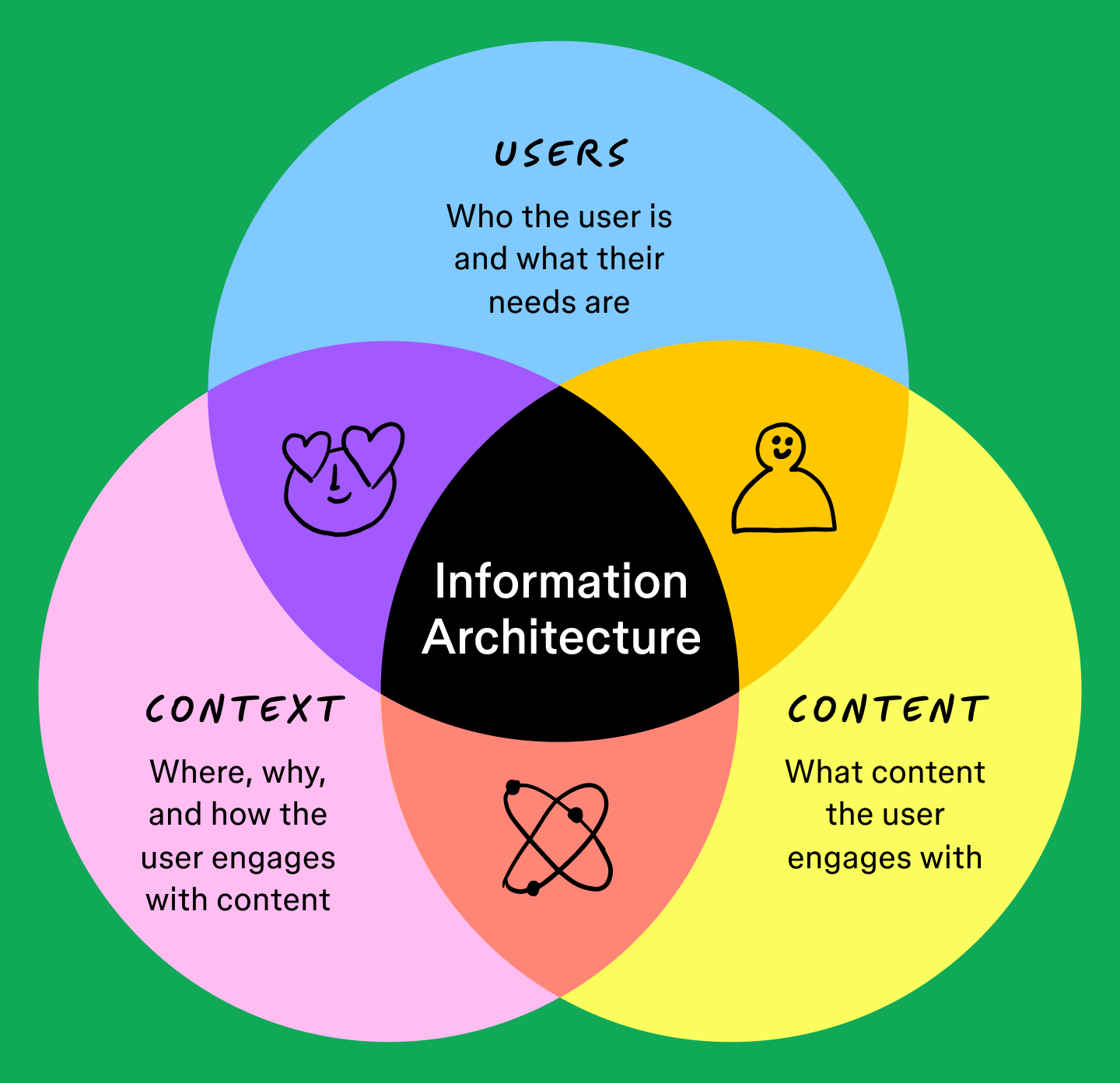
Reference: https://www.figma.com/resource-library/what-is-information-architecture/
2. Why IA Matters Especially for Public Services
Government services often include:
- Many departments and service categories
- Forms, documents, FAQs, rules, workflows
- Citizens, businesses, and internal staff
- Users with different literacy levels, languages, and devices
IA ensures:
- Clear user paths through complex processes
- Consistent terminology across ministries
- Logical content structure based on citizen mental models, not internal structures
- Mobile-friendly and low-bandwidth navigation
- Scalability as new services are added
IA ensures that citizens regardless of ability, bandwidth, or background can find what they need.
3. Core Components of IA
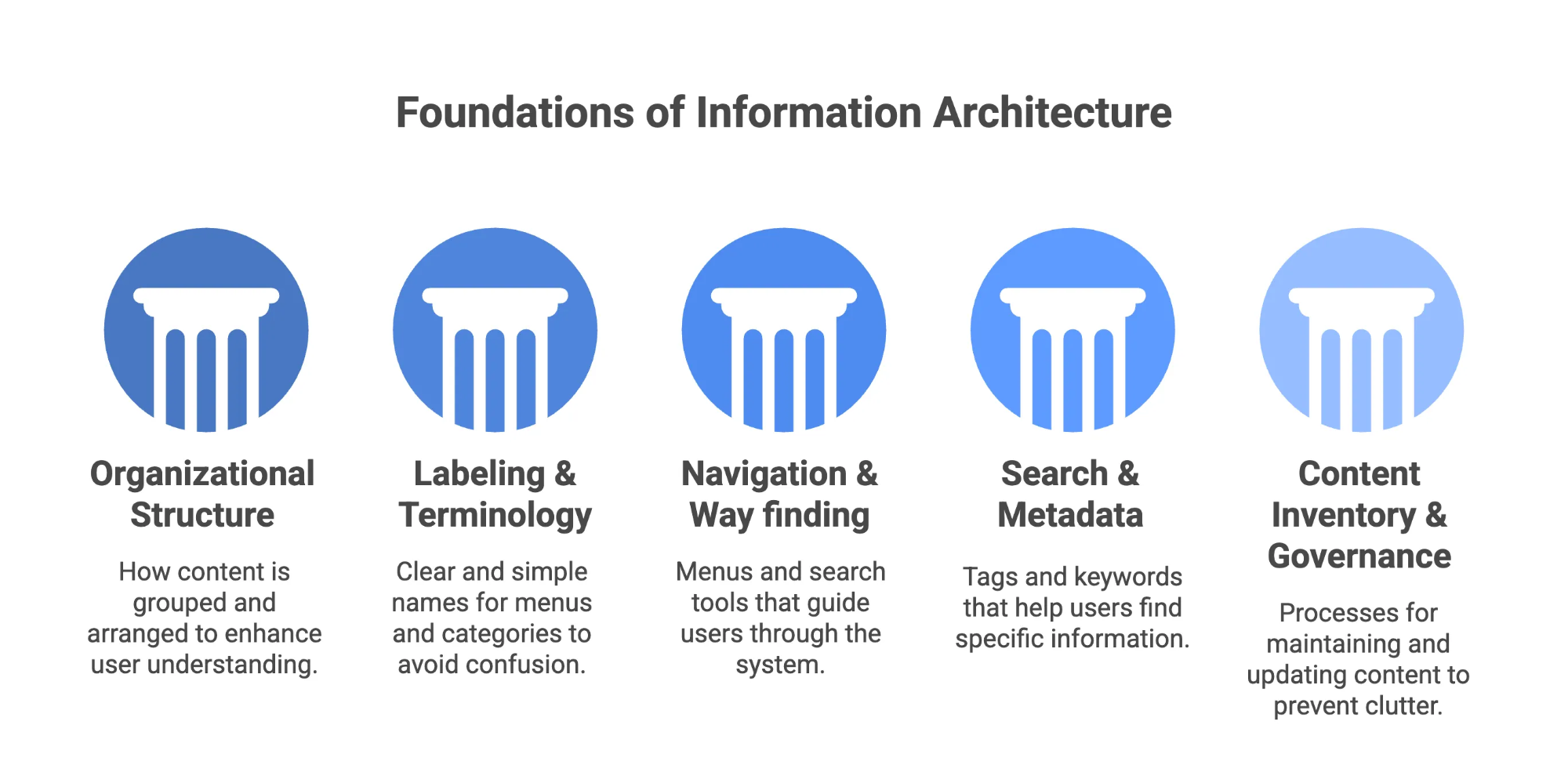
- Organizational Structure: How content is grouped and arranged to match how users think.
- Labeling & Terminology: Simple, recognizable, and non-technical terms for menus, sections, and buttons.
- Navigation & Way-finding: Menus, breadcrumbs, tabs, hierarchy, and search paths that guide users.
- Search & Metadata: Tags, categories, and metadata that improve search and filtering.
- Content Inventory & Governance: Processes for tracking, reviewing, updating, and maintaining content over time.
IA is not “menus.” It is a system combining structure, language, navigation, search, and content governance.
4. IA Workflow Step-by-Step Process
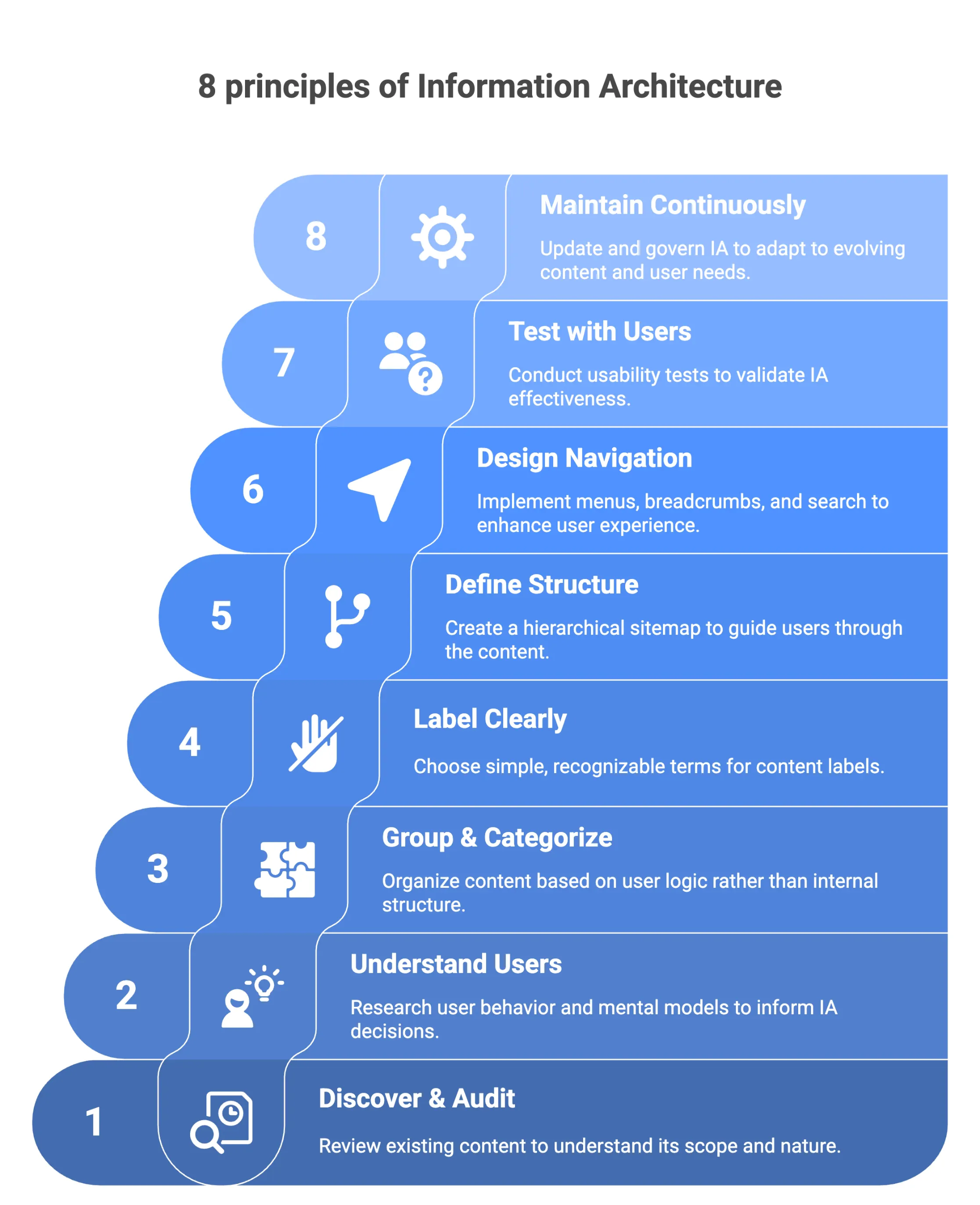
8-step diagram showing IA principles from discovery to continuous maintenance
5. How IA Fits Into the UX Process
IA is the bridge between research and interaction/UI design.
IA uses:
- user needs
- content findings
- mental models
- task flows
IA informs:
- wireframes
- navigation patterns
- UI structure
- content layout
IA evolves through:
- usability testing
- real-world usage
- analytics
- policy/service updates
Strong IA reduces redesign costs and ensures all future features fit logically into the ecosystem.
6. Best Practices for Government IA
- Write in plain language (avoid ministry jargon)
- Organize based on user tasks
- Use multiple navigation pathways (search, menus, filters)
- Design for accessibility (screen readers, captions, headings, tab order)
- Support mobile and slow networks
- Be consistent with labels
- Keep structure flexible government services change
- Test IA with real citizens, not only internal staff
7. Sitemap
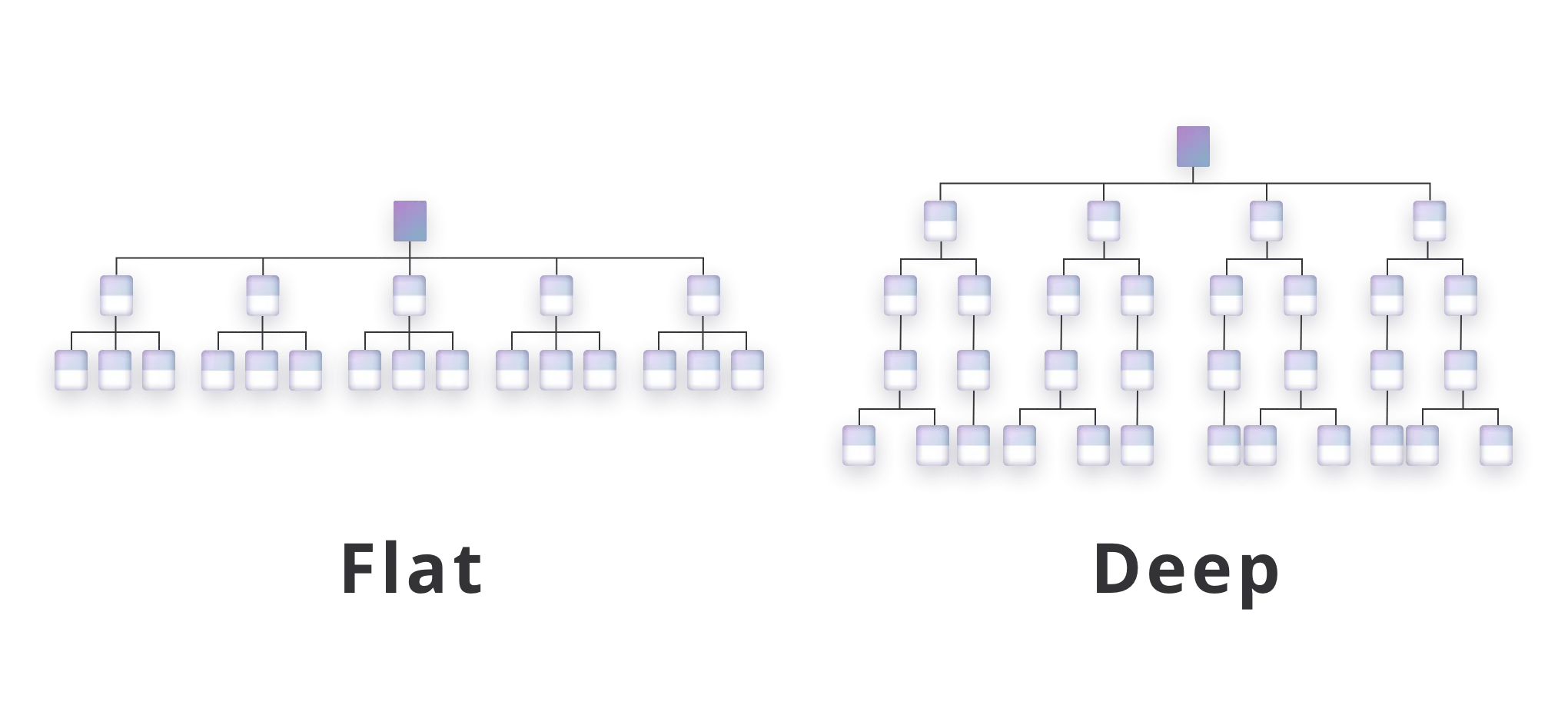
A Sitemap is a visual representation that illustrates the structure and relationships between individual pages within a system. Use your two Sitemap diagrams:
- Flat Sitemap (for small websites or simple applications) A flat sitemap is used when the product has few pages and users should reach any major page with 1–2 clicks.
- Deep Sitemap (for large, complex systems) A deep sitemap, sometimes called “Information Architecture,” is used when the system has many modules, multiple user roles, and deep content hierarchies.
8. Conclusion
Information Architecture is the backbone of every good digital service. It organizes complex content into a structure people can navigate easily regardless of device, ability, or digital experience.
Strong IA helps deliver public services that are:
- easy to understand
- simple to navigate
- accessible to everyone
- consistent and scalable
- trustworthy and user-centered
Good IA is invisible. Users don't notice it because everything just makes sense.